

Rewards for the shop behind the painter
Upline reward points for the shop whose painters scan
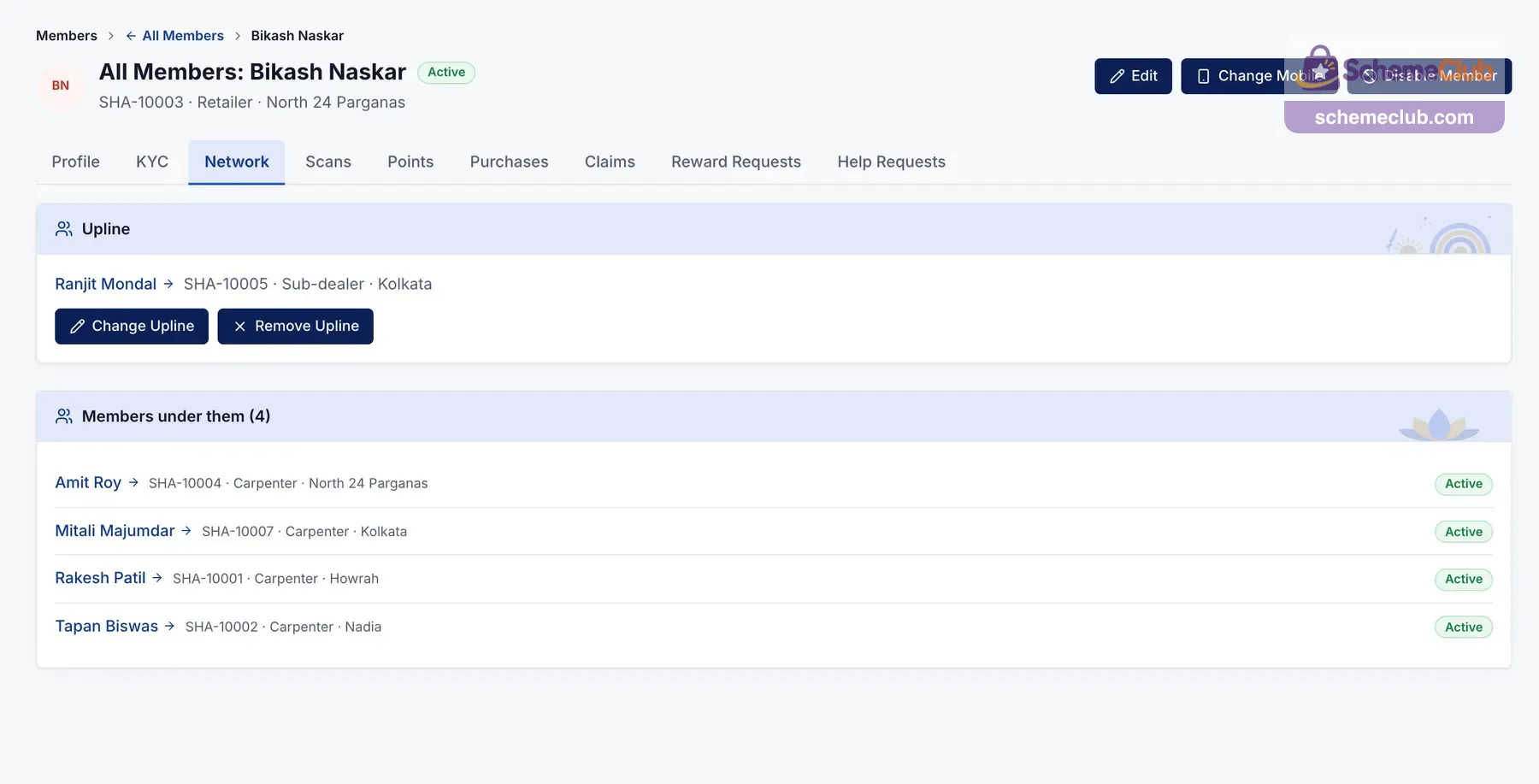
Upline reward points: who is under whom
A member's one upline and the members under them.
How upline reward points work
A painter may buy from one shop, and that shop may buy from a bigger dealer. In SchemeClub each member can have one member above them. This is their upline. When a scheme rule says so, the upline gets a share of the points from the member's QR scans.
The member keeps all their own points. The upline's points are added on top. To use this, we switch on three extra features: My Network, its upline share, and Schemes.
One upline for each member
First you say which member type is above which. For example, a painter's upline is a retailer, and a retailer's upline is a sub-dealer. You use your own member types.
- A member has only one upline
- The upline must be an active member of the right type
- A member can't be their own upline, and nobody below them can be it
- On the join form, a new member can type the upline's member code or mobile number, and the form shows the upline's name to check
- You can add uplines when you import members from a sheet
- Your team can set, change or remove an upline later
Set the share in a scheme
The share is part of a scheme rule. In the rule, you type the upline share as a whole number from 1 to 100 percent. The share works only while that scheme is running and its rule is the one that applies to the scan.
One scan gives a painter 100 points, with any scheme extra, and the share is 10%. The painter gets 100 points. The painter's shop gets 10 more.
- The share goes only one step up. The shop's own upline gets nothing from this scan
- It is only for QR scans, not for purchases or bill claims
- It is rounded to the nearest whole point
- The upline must be active at the time of the scan
- Upline points count in the scheme's points budget
- If your team reverses the scan, the upline's points are taken back too
What members see in My Network
A member sees the My Network link in their menu when at least one active member is under them. The page shows their own upline's name and city. It also shows each active member under them, with name, type, city and joining date. Mobile numbers and member codes do not show. When the upline share is on, it shows the points they got from the scans of these members.
In your work screen, each member has a Network tab with their upline and the members under them.
Features that work with Upline Rewards
For upline shares, read the help guide: Upline Shares.
SchemeClub works for every trade. See all businesses.
Frequently asked questions
Upline reward points: your questions
About the upline share.
They are points that a member's upline gets when that member scans a QR code. In SchemeClub you set the share as a percent in a scheme rule.
No. The painter keeps all the points from the scan. The shop's share is added on top.
No. The share goes only one step up, to the upline of the member who scanned.
No. Only QR scans give an upline share.
No. The upline must be an active member of the member type that you set above painters.
See one scan reward two members
In a free demo, a member scans a code and we show the points of both members.
From the blog


