

Schemes for your dealers and shops
Sales scheme management software to control every offer
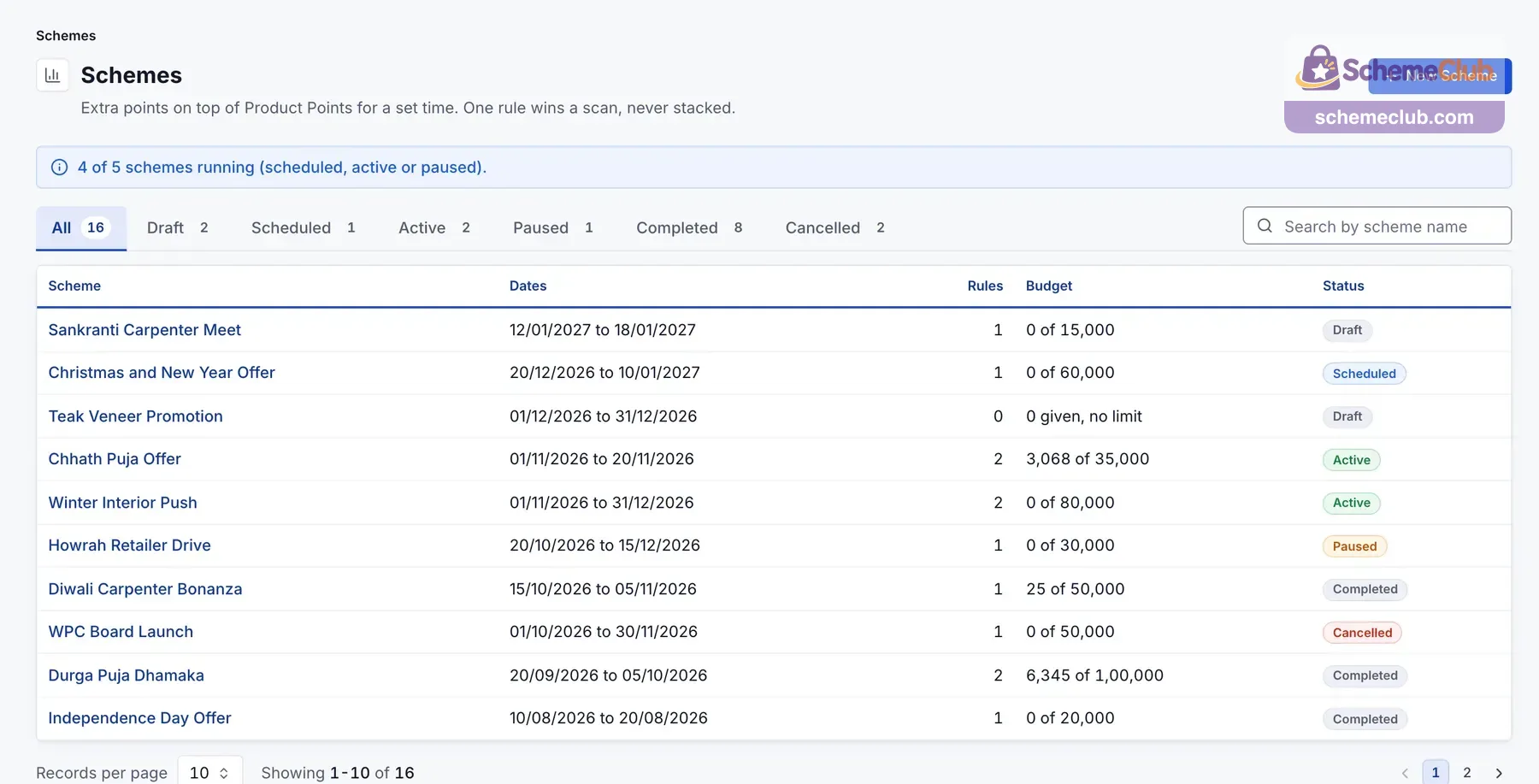
Sales scheme management software for all offers
Each scheme with its dates, rules, budget and status.
What Schemes does
A scheme gives extra points for some days. These come on top of the normal Product Points. For example, you can give more points on one product in the Diwali season, or only to the shops in one city.
On paper or in a chat group, it is hard to remember which offer is running, who gets it and how much you have given. Here each scheme has its own page with its dates, rules, budget and history. Schemes is an extra feature that we switch on for your program.
Make a sales scheme with dates and rules
First you make the scheme, then you add its rules.
- Name the scheme: Add a name, the start date and the end date. You can add a few words that members will read.
- Set a points budget: This is the most extra points the scheme should give. You can also leave it with no limit.
- Add rules: Each rule says who gets extra points, on which products, and how much.
- Activate it: A new scheme is a draft. It gives nothing until you activate it. If the start date is later, it waits for that day.
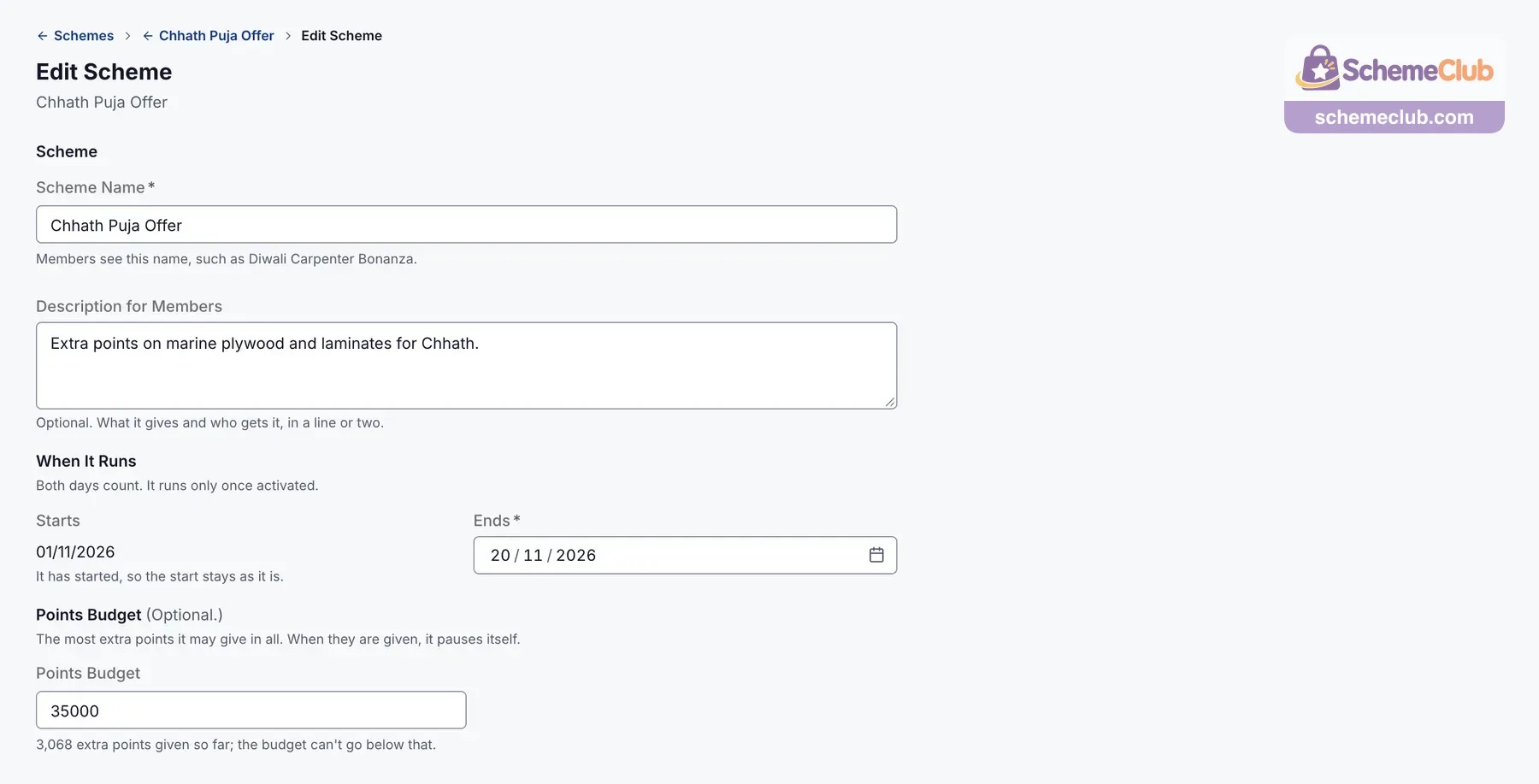
How to make a sales scheme for dealers
Give it a name, dates, words for members and a points budget.
Choose who and what a rule covers
A rule can cover everyone and everything, or only a part. A list that you leave blank covers all.
- Products and product categories
- Member types, such as the types you named for your shops and workers
- States and cities, from the member's own record
- Member levels, if Member Levels is switched on
- Where it earns: QR scans, purchases or claims, as far as these are switched on. A new rule has all of these ticked
A rule gives either fixed extra points on each unit, or multiplies the normal points, from 1.1 times to 10 times.
Control your spending with limits and a budget
You can limit how much one member gets from a rule. Set the most times, the most extra points, or both. The limit can be for the whole scheme, for each day or for each month.
The points budget is for the whole scheme. When the extra points reach the budget, the scheme stops by itself and shows as paused. The earning that crosses the budget still gets its points. To start it again, first raise or remove the budget.
When two sales schemes match, only one counts
Two running rules may match the same sale. Their points are not added together. The latest rule counts. If a member has reached its limit, the next matching rule can count. You can move an older rule to the top when you want it to count first.
Extra points for a scan streak
With QR codes, a rule can reward a member who scans regularly. You choose how many scans are needed, within how many days, and for how long the extra points then stay. It works on scans only, not on purchases or claims. See Scan Streaks.
Pause, finish or cancel a scheme
You can pause a running scheme and start it again later. You can also end it today or cancel it. Pausing, ending and cancelling each ask for a reason. A cancelled scheme cannot be started again.
A change counts from the time you save it. Points already given do not change. Each change is kept in the scheme's history with who made it and when.
What your members see
In their member page, members see running schemes first, then the ones coming soon. They see only the rules that can apply to their member type and place, with what each one gives and any limit. They do not see your budget.
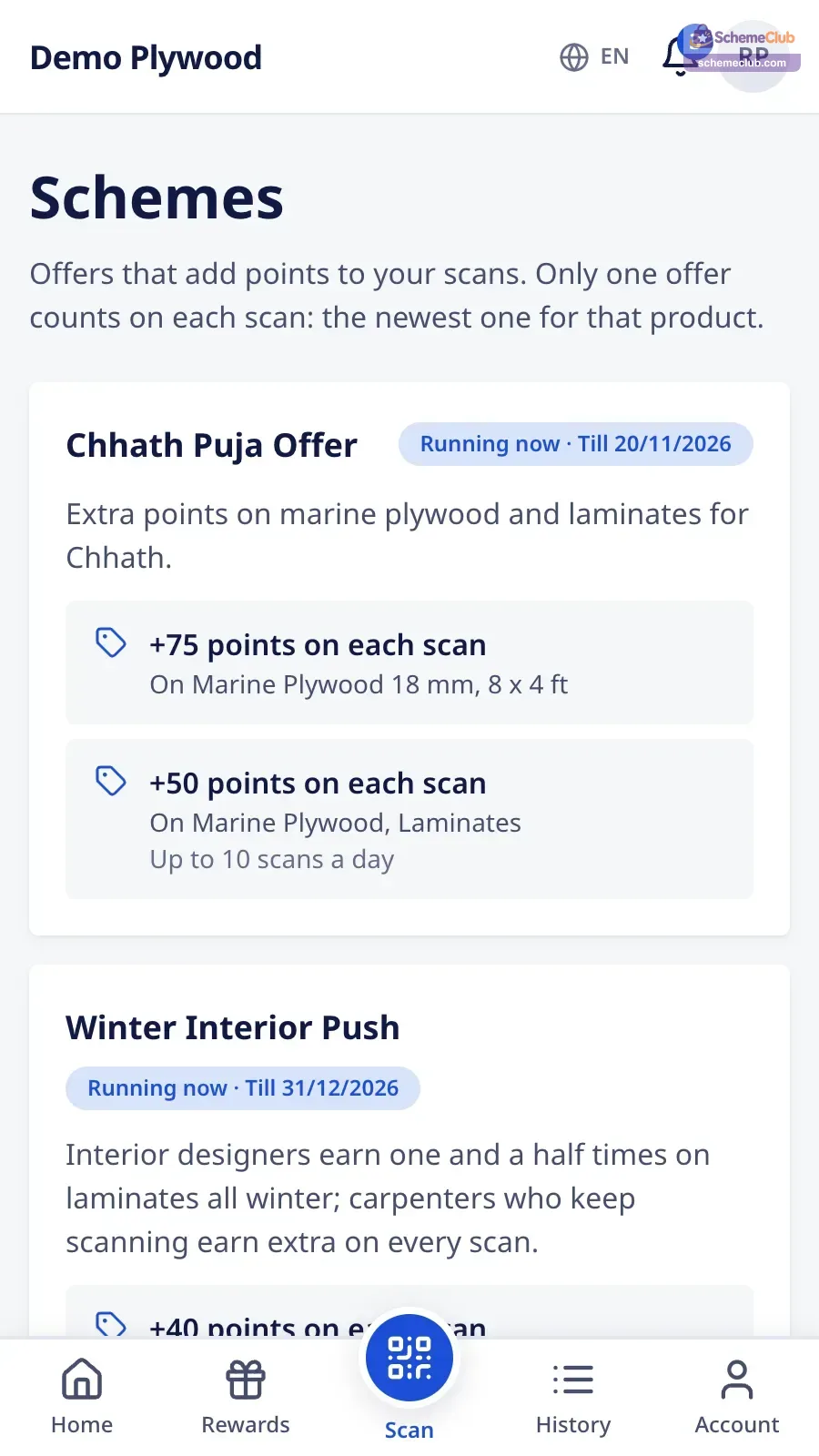
Dealer scheme offers your members can see
Members see the offers running for them and what each one gives.
Features that work with Schemes
For each step with the screen, read the help guide: Creating a Scheme.
SchemeClub works for every trade. See all businesses.
Frequently asked questions
Sales scheme management software: your questions
About running schemes.
It is software to set up and run extra offers for the people who sell or use your goods. In SchemeClub, each scheme has dates, rules for who and what it covers, limits and a points budget.
Yes. Your program has a limit on how many schemes can be running. If two rules match the same sale, only one counts, so their points are not added together.
Yes. A rule can name states or cities. It then covers only members whose own record shows that place.
The scheme is paused by itself, and the history shows it. Members keep the points already given. You can raise or remove the budget and start it again before it ends.
Yes, with some limits. The start date stays fixed. The end date can move, but not to a day before today. Changes count only from the time you save them.
See a scheme being set up
In a free demo, we make a scheme with a rule and a budget, and show what members see.
From the blog


