

Add a shop during the visit
Retailer onboarding by your salesmen, in their own cities
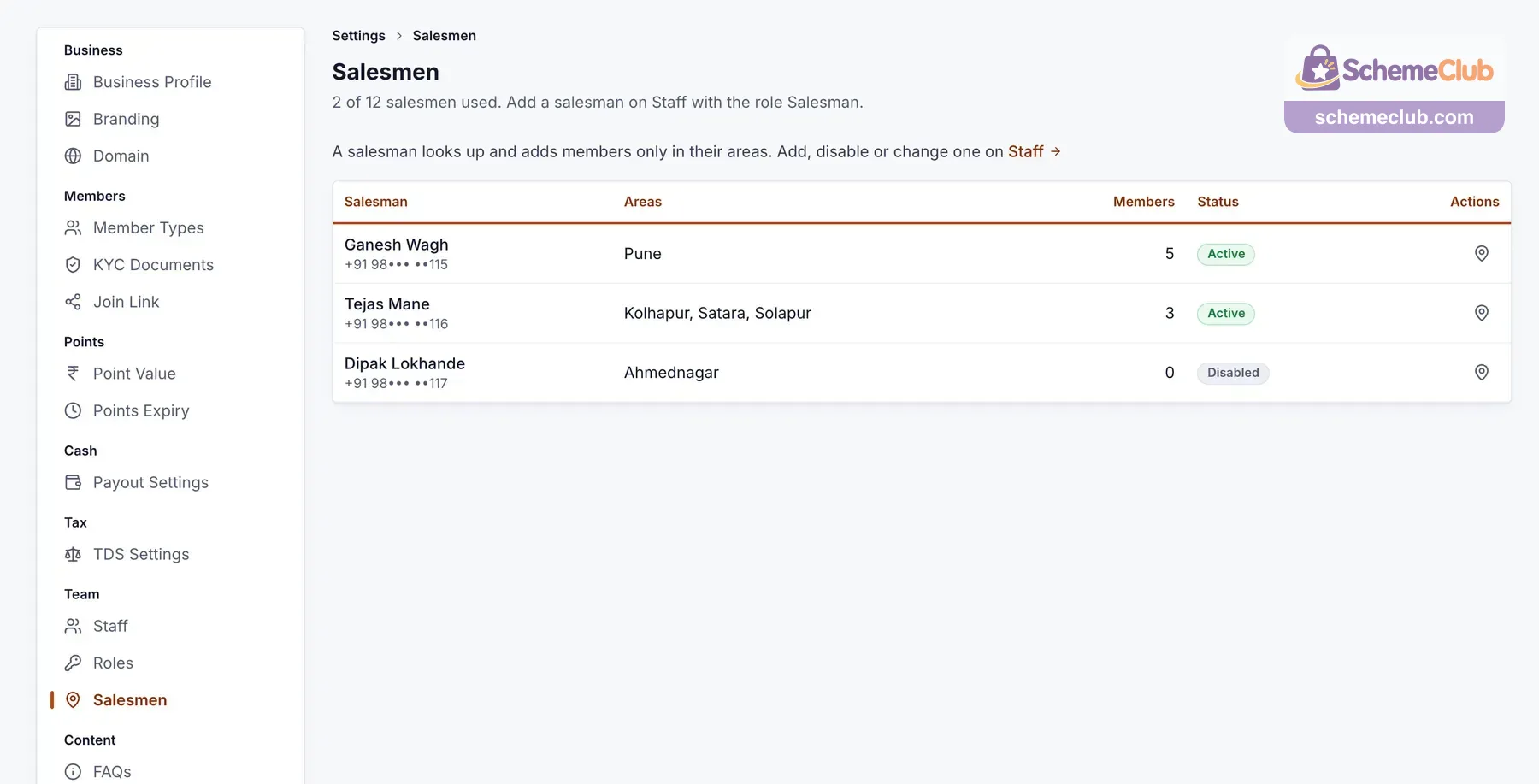
Retailer onboarding by your own salesmen
Each salesman with cities, number of members and status.
How retailer onboarding by salesmen works
Your salesmen already meet shops. With Field Team, a salesman can add a shop to your loyalty program while standing at its counter. It is not only for shops. A salesman can add any of your member types, such as a painter or a mechanic.
Field Team is an extra feature that we switch on. To let salesmen add members, we also switch on Enrol on the Spot.
Give each salesman their cities
Add the salesman on the Staff page with their name, mobile number and the role Salesman. They get an SMS with your sign-in link, and set a PIN the first time. Then, on the Salesmen page, you pick 1 to 20 cities for each one.
You pick from the cities where you already have members. A new salesman sees no members until you set the cities. Your program may have a limit on how many salesmen you can add.
Retailer onboarding steps during a visit
The salesman signs in to your work screen in a web browser. Their phone needs internet. The shop owner's mobile must be able to get an SMS.
- Fill the details: Name, mobile number, member type, city and state. The city must be one of the salesman's cities.
- Send the code: A code goes by SMS to the shop owner's own mobile.
- Type the code: The owner reads the code out, and the salesman types it.
- Add the member: The shop is a member at once. It does not wait for approval.
A mobile number that is already a member, or is waiting for approval, can't be added again. Your program's member limit counts here too.
What a salesman can and cannot do
The Salesman role is fixed. A salesman sees only the members whose city is in their list. With Enrol on the Spot, they can add new members in those cities.
- A salesman can't approve applications
- A salesman can't change or disable a member
- A salesman can't see point balances, check bill claims, enter purchases or open Reports
- Field Team does not take orders, record visits or track the salesman's location
What your office sees
Each member's page shows how they joined and which salesman looks after them. Your team can give a member to another salesman who covers that city. The Salesmen page shows each salesman's cities, status and the number of active members they look after.
There is no separate salesman report today. When a salesman leaves, disable them on the Staff page. The members stay.
Features that work with Field Team
To add salesmen and cities, read the help guide: Salesmen.
SchemeClub works for every trade. See all businesses.
Frequently asked questions
Retailer onboarding: your questions
About salesmen adding members.
It means adding a shop to your system so that it can take part. In SchemeClub, a salesman can add a shop to your loyalty program during a visit.
No. A code goes to the shop owner's mobile, and the salesman needs that code to add the shop.
No. A salesman sees only members in the cities that you give them.
No. It does not take orders, record visits or track location. It lets salesmen see and add members in their cities.
No. They sign in to your work screen in a web browser.
Add a shop the way a salesman would
In a free demo, we sign in as a salesman and add a shop with its code.
From the blog


