

Join by link or QR
Loyalty program registration with one link and one approval
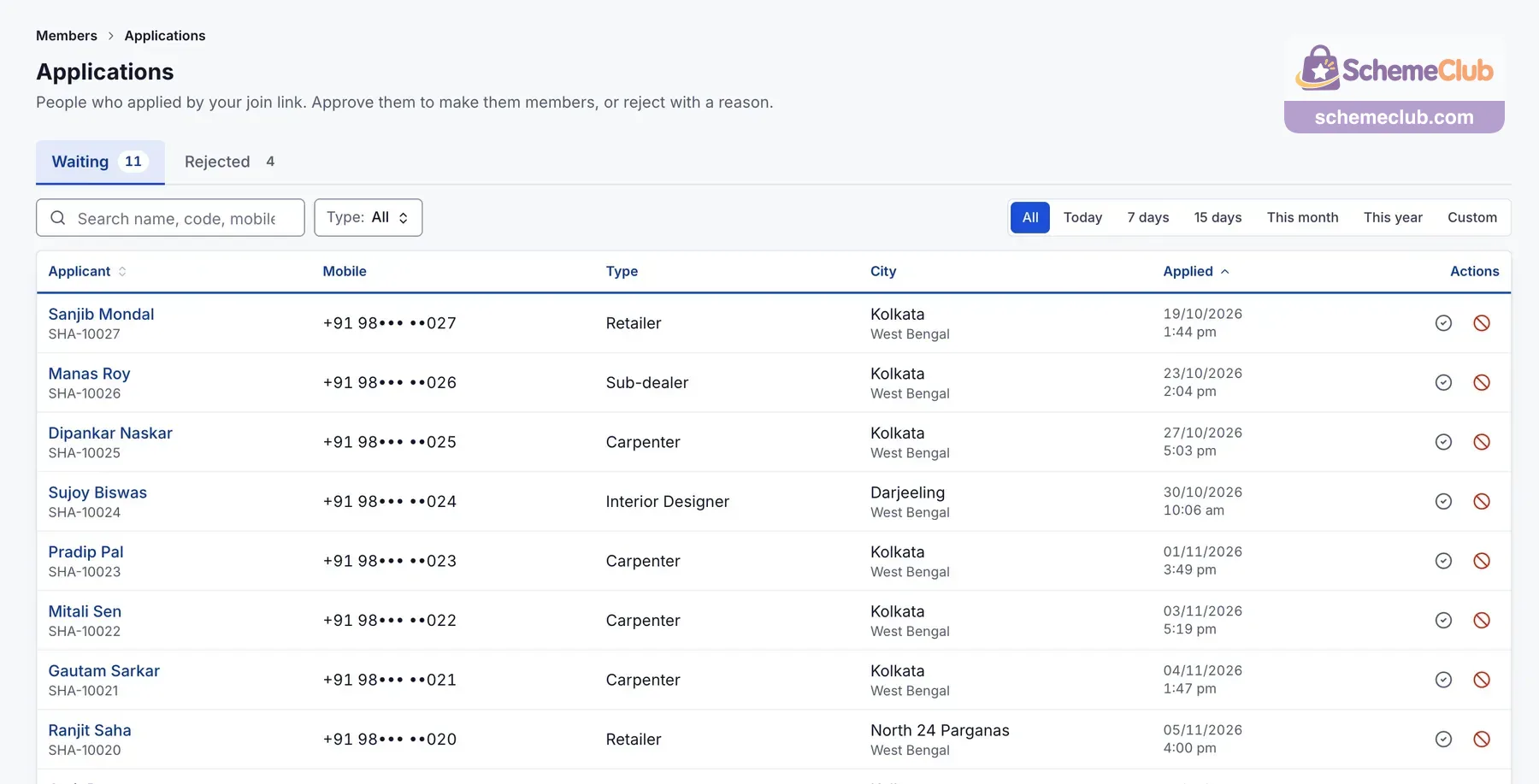
How to approve a loyalty program registration
People who apply wait here with their type and city until you approve.
A join link and a QR poster
Your program has its own join link. The Join Link page has a button to copy it, so you can send it to your shops and workers. The same page has a QR card with your business name, your logo if you added one, and your address on the web. Print it as a poster for your counter or your next meet.
Member Joining is part of every SchemeClub program.
The loyalty program registration form
The form is short, and it opens on the phone.
- Fill the details: Name, mobile number, member type, city and state.
- Check the mobile: A 6-digit code comes to that mobile number. The person types it and sends the form.
- Wait for approval: A thank you screen shows their Member ID. Sign-in opens after your team approves.
If Upline Rewards is switched on, the form can also ask who the person buys from. This is optional.
Approve or reject applications
Nobody joins only by filling the form. New applications wait in one list, oldest first, with the name, mobile, type and city. One approval makes the person a member. If you reject, you choose a reason. A rejected person can apply again.
Your program may have a limit on active members. The form still takes applications at the limit, so you do not lose anyone, but you cannot approve more until there is room.
Name your own member types
A new program starts with three types: Retailer, Sub-dealer and one type for the worker in your trade. You can rename them and add your own, such as electrician or fabricator. Points, gifts and schemes can differ by member type.
A type that members use cannot be deleted. You can switch it off, so new members cannot choose it.
Add members yourself or from a sheet
Your team can add one member. A code goes to the member's mobile, and after it is typed in, the member is active at once.
To bring in your current list, upload a CSV or Excel sheet of up to 500 rows. Name, mobile, type, city and state are needed. SchemeClub checks each row first and shows the rows that are ready, wrong, repeated or already added. The ready rows join as active members, without a code. Add only people who have agreed to join.
With Field Team, an extra feature, we can also let your salesmen add members in their own areas.
What your members get after joining
An approved member signs in on your member page with their mobile number. There they see their points, your gifts and their requests. If you disable a member, they cannot sign in, but their points and history stay on record.
Features that work with Member Joining
For each step with the screen, read the help guide: Join Link.
SchemeClub works for every trade. See all businesses.
Frequently asked questions
Loyalty program registration: your questions
About joining.
It is the step where a shop or a worker joins your program. In SchemeClub they open your join link, fill a short form, check their mobile with a code, and wait for your approval.
Anyone can apply, but nobody joins without your team's approval.
No. The join form and the member page open in the phone's browser.
No. One mobile number can be only one member in your program.
Yes. Upload a CSV or Excel sheet of up to 500 rows at a time. Each row is checked before anyone is added.
See a new member join
In a free demo, we apply from a phone and approve the member from the work screen.
From the blog


