

One code on each pack
QR code loyalty program to see which packs get scanned
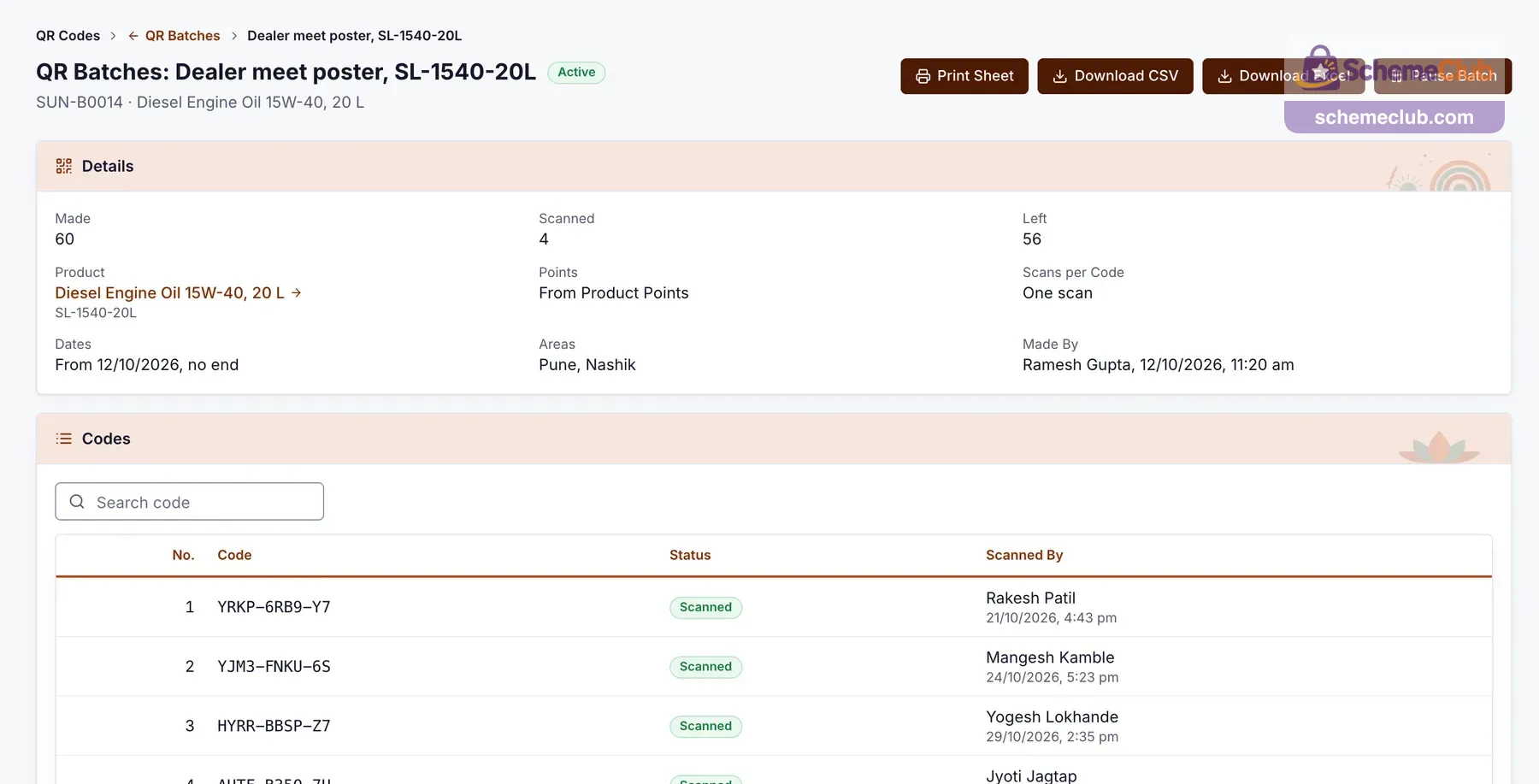
QR code loyalty program: inside one batch
The codes made and scanned, the product, the points and the areas.
How a QR code loyalty program works
One code stands for one pack of one product. You put the code on the pack. The painter, mechanic, shop or other member scans it from their member page and gets points. A code that is used up gives no more points.
A phone camera can also read a printed code. It opens your member page with the code filled in. The member signs in and taps Earn Points. Just opening the link gives no points. A member can also type the code that is printed with the QR. QR Codes is part of every SchemeClub program.
Make a batch of QR codes
Codes are made in batches. Your program may have a limit on new codes each month.
- Name it: Give the batch a name and choose one product.
- Set the number: One batch can have 1 to 10,000 codes.
- Set the points: Use the product's points, or type one fixed number for this batch.
- Add dates if you like: You can set a start date and an end date.
Normally one code works one time. We can switch on two more choices: different fixed points for each member type, and one code that many members can scan, one time each. The second one is useful for a poster at a dealer meet.
To use codes with a hidden prize, see Scratch Cards. For cash on a code, see QR Cashback. Both are extra features.
Print sheets and sticker labels
Each batch of codes that SchemeClub makes has a print sheet on A4 paper. It shows each QR with its code, your business name and the product. A large batch prints in parts of up to 500 codes. You can print it or save it as a PDF. If we switch on sticker sheets, you can also print on 24, 40 or 65 labels a sheet. A label shows the QR, the code and the product code.
You can also download all the codes and their links as CSV or Excel, for your printer. Keep these files safe, because a code is as good as points.
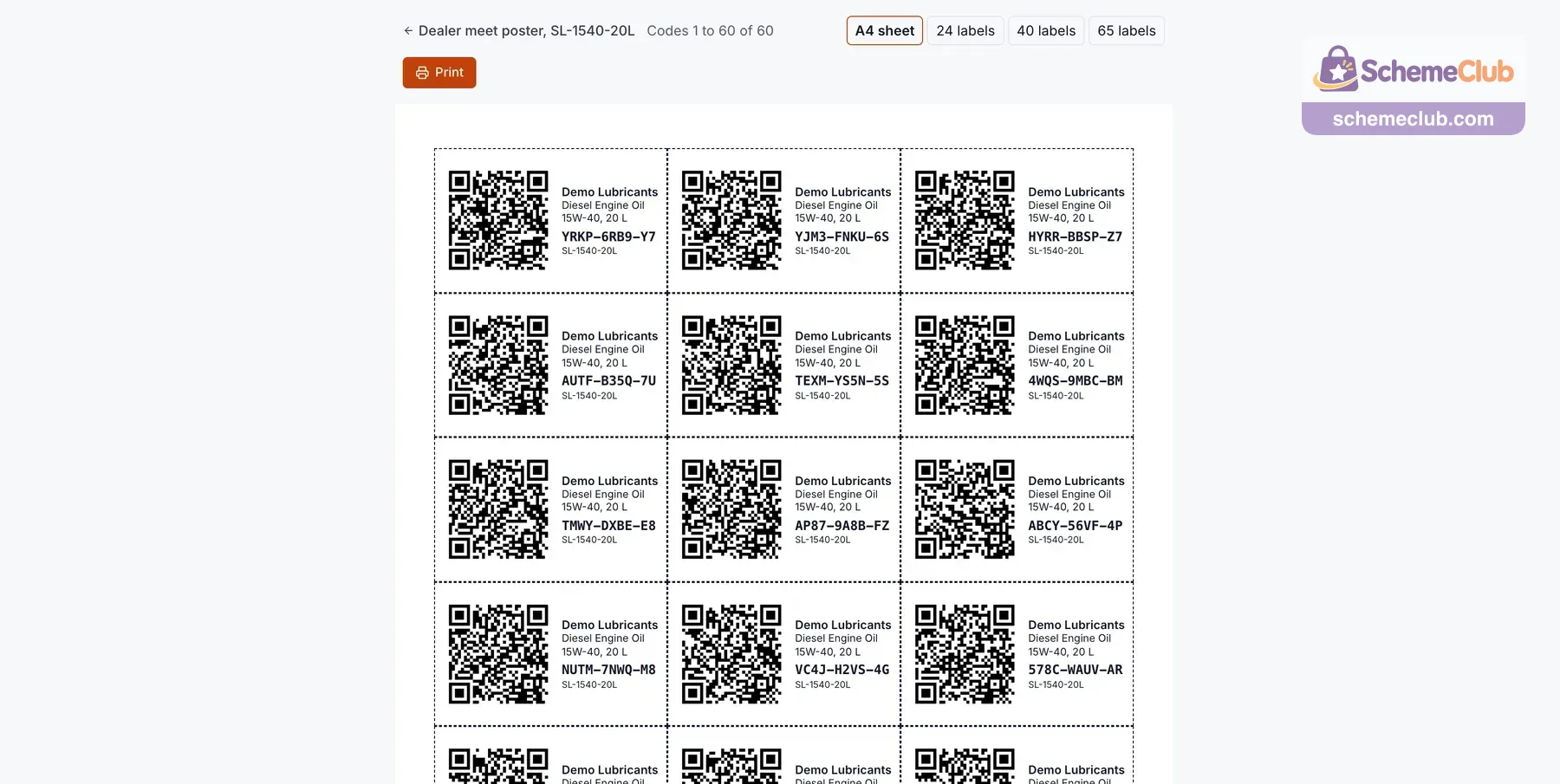
QR code sticker printing for your packs
Print on A4 sheets. Sticker labels are an extra feature.
A business can use its own QR codes
Any business can run its own scheme on goods of any maker. Print codes here and stick them on, for example where the maker's code is inside the pack. There is nothing to scan before selling. Do not cover the MRP, the printed details or the maker's code, and check with the maker and your advisor.
Where the maker's code can be read on the unopened pack and holds a plain code, you may upload the codes of your stock in its place. See Company Codes, an extra feature.
Name the areas for a batch
You can say where a batch should be used, by states or cities. You can also leave it open for anywhere. A scan from another place is not stopped, and the member still gets points. The Out of Area report lists such scans. It uses the city saved on the member's record, not the phone's location.
Pause a batch or reverse a scan
If a batch goes wrong, pause it. No code in it can be scanned until you start it again. A batch past its end date also stops. A batch cannot be deleted, because the codes may already be printed.
A team member with permission can reverse a wrong scan and must give a reason. The points are taken back, and the code can be scanned again. To stop old stock from earning on codes your company already prints, see Company Codes.
QR code loyalty system with one scan list
The Scans list shows when each scan happened, the member, the product, the code, the city and the points. You can search it, and filter by product, member type and date. On their phone, the member sees their own scans.
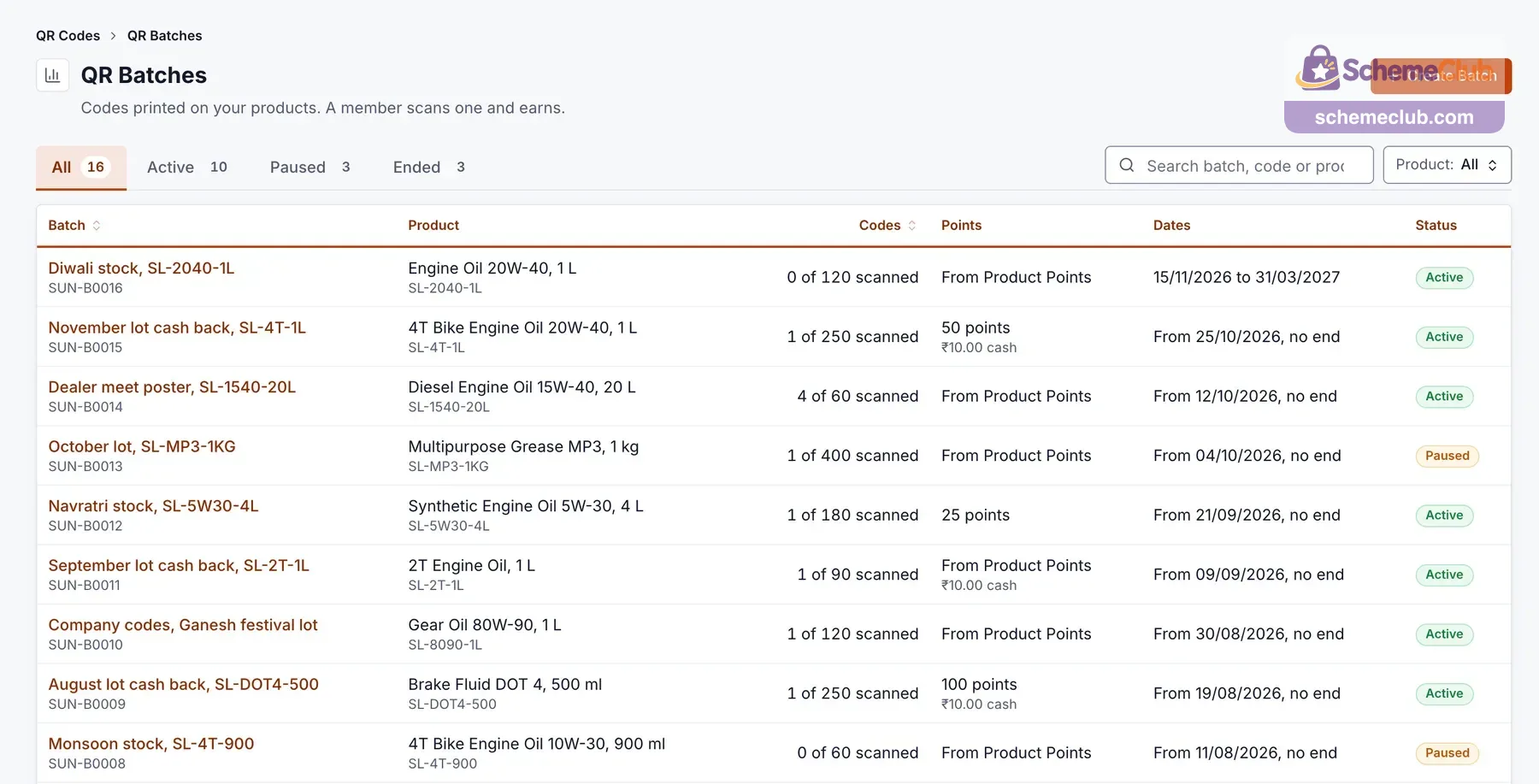
QR code loyalty system with every batch listed
See how many codes of each batch are scanned, with dates and status.
Features that work with QR Codes
For each step with the screen, read the help guide: Creating a QR Batch.
SchemeClub works for every trade. See all businesses.
Frequently asked questions
QR code loyalty program: your questions
About codes and scans.
A program in which each pack carries a QR code and a member gets points by scanning it. In SchemeClub you make the codes in batches and see every scan.
Normally no. If we switch on many scans for a code, many members can scan it, but each member only one time.
No. A scan shows that the code is yours and can still be used. It is not a check that the product is genuine.
No. The scan still gives points. You see it in the Out of Area report and can then check.
No. The phone needs internet to scan and get points.
Scan a code in a free demo
We make a batch, scan one code from a phone and show it in your list.
From the blog


