

Gifts for your members
Loyalty reward catalogue with gifts your members want
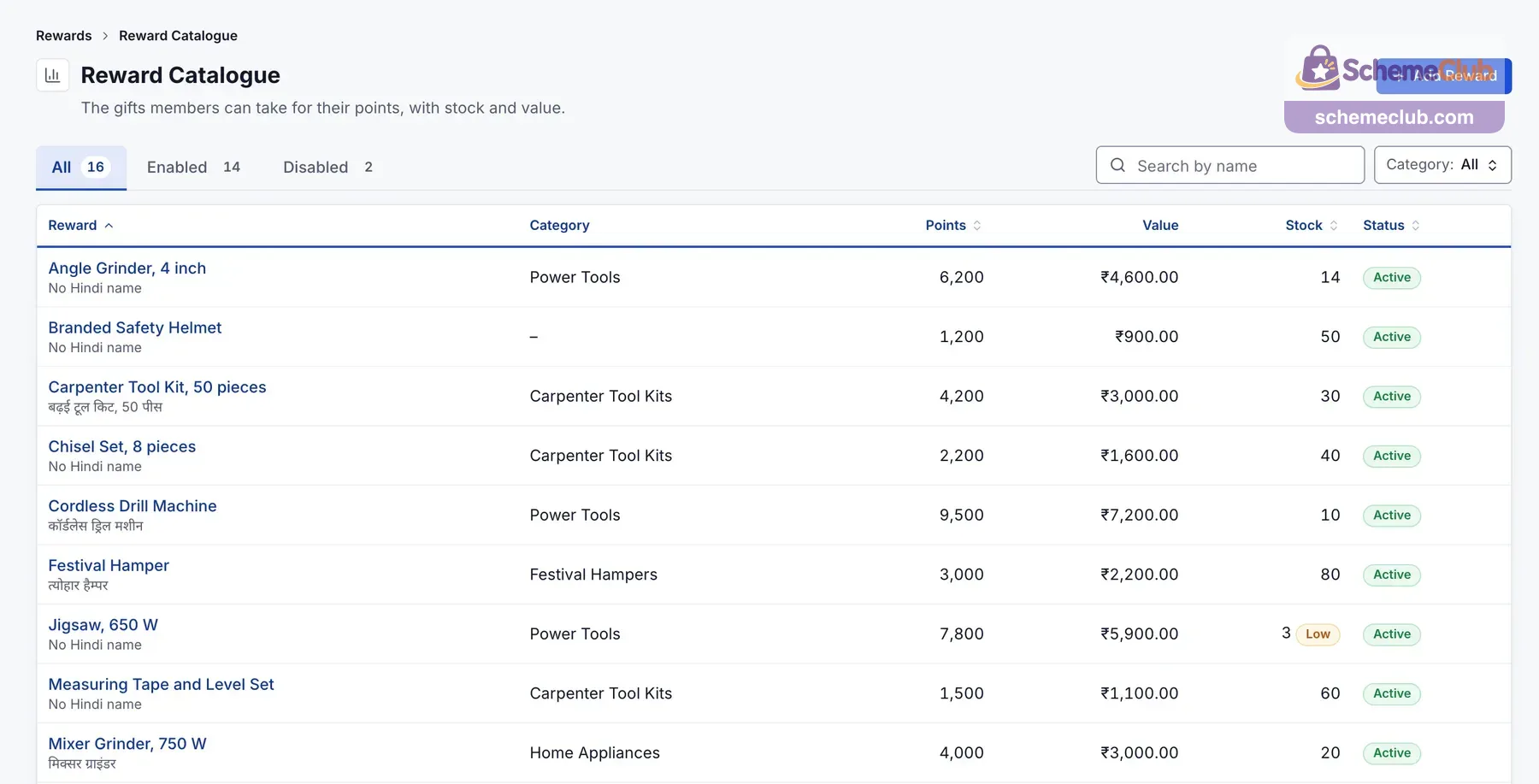
Loyalty gift catalogue with your own gifts
Set the points, value and stock for every gift.
Build your loyalty reward catalogue
You decide which gifts are in the list. You buy and send them yourself. SchemeClub does not sell or deliver gifts. It keeps the list, the points, the stock and every request. The reward catalogue is part of every SchemeClub program.
- Make categories: For example, tool kits or home items. A name in English is needed. A Hindi name is optional.
- Add a gift: Give its name, points and value in rupees. You can add a category and a few words about it.
- Set the stock: Type how many you have, or leave it blank for no limit. The list marks a gift with 5 or fewer left.
- Choose who sees it: Show it to all members, or only to some member types. Then add one photo.
What members see in the gift list
Members open Rewards on their phone and see their points. Gifts come with the fewest points first. They can look by category, or see only what they can take now. Each gift shows if they can take it, how many more points they need, or that it is out of stock.
Only gifts that are switched on and meant for their member type are shown.
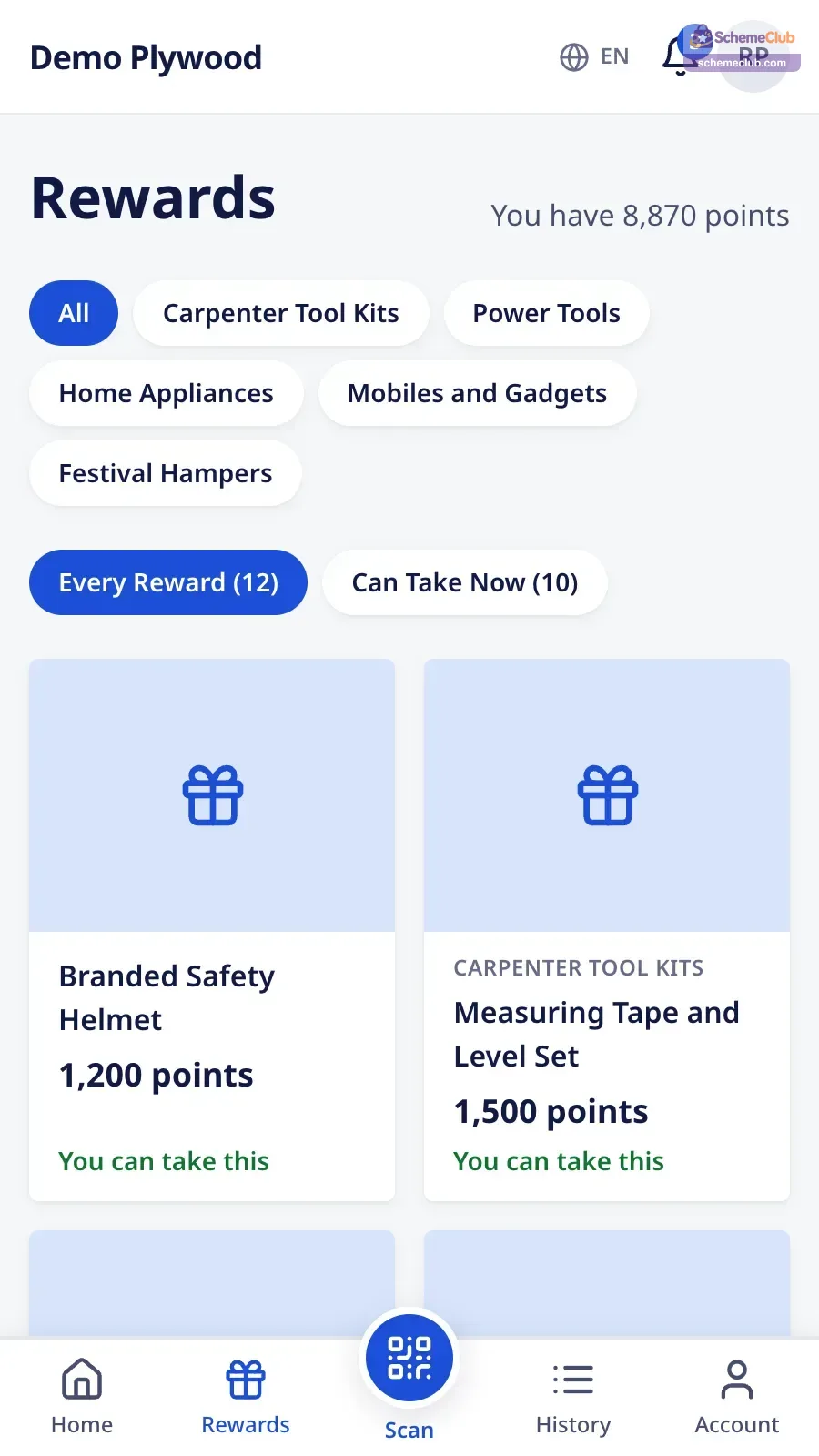
Reward catalogue on your member's phone
Members see their points balance and the gifts they can take.
Reward requests
The member chooses how many, from 1 to 10, as far as the points and stock allow. Then they type the delivery address and send the request. The points are taken at once, and the stock goes down. The same points cannot be used two times.
All requests come to one list in your work screen. New requests show the oldest first. You can search by member, mobile number or gift.
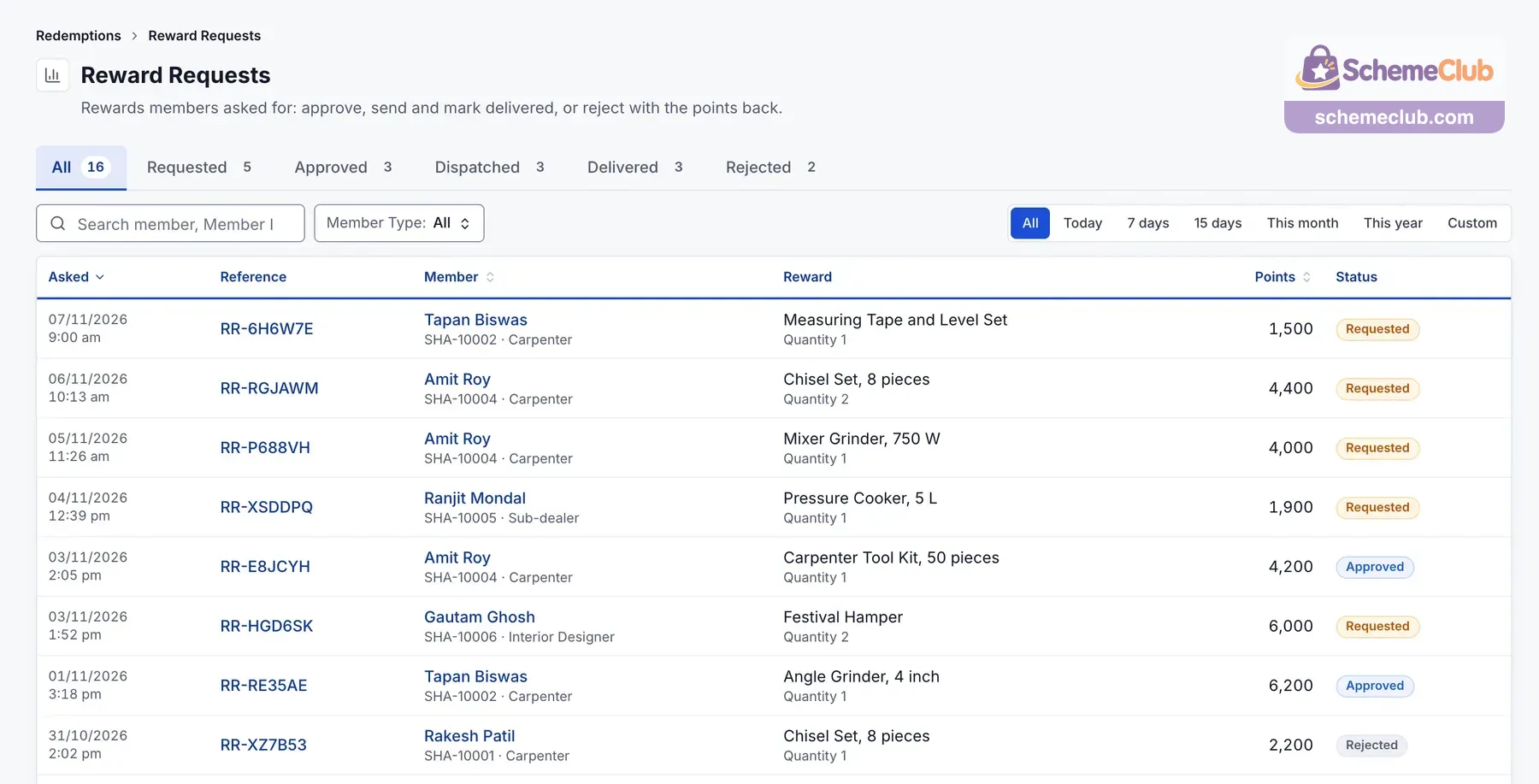
Reward catalogue requests, approval to delivery
Approve, dispatch and mark delivered. A rejected request gives the points back.
Approve, send and mark delivered
Each request moves one step at a time, and your team can see who did each step and when.
- Approve: Check the request and approve it.
- Send: Type who is carrying the gift, like a courier or your salesman. A tracking number is optional.
- Mark delivered: When the gift reaches the member, close the request.
- Or reject: Before sending, you can reject a request with a reason. The points and stock come back.
The member is told when the gift is sent, when it is marked delivered and when a request is rejected. They can also see each request and its status on their phone.
Cash for points (optional)
Some members like money more than a gift. UPI Payouts is an extra feature that we switch on for your program. Then a member can ask for cash for their points, to a checked UPI ID or bank account. You set the value of one point and the smallest payout. See UPI Payouts.
TDS on gifts
TDS may apply to gifts and cash given to dealers and others. SchemeClub keeps a TDS record by PAN and quarter. Please ask your CA which rules apply to you. See TDS.
Features that work with the reward catalogue
For each step with the screen, read the help guide: Adding Rewards.
SchemeClub works for every trade. See all businesses.
Frequently asked questions
Loyalty reward catalogue: your questions
About gifts and requests.
It is the list of gifts that members can take for their points. In SchemeClub you add your own gifts, with the points, value, stock and photo of each.
No. You choose, buy and send the gifts. SchemeClub keeps the list, takes the points and records each step of a request.
You give a reason, which the member can read. The points come back to the member, and the gift goes back to your stock. A gift already sent cannot be rejected.
No. An active member with enough points can ask, and your team still approves each request. For TDS, a verified PAN changes the rate.
Yes. For each gift you can choose the member types that see it. If you choose none, all members see it.
See a gift request from start to end
In a free demo, we add a gift, ask for it from a phone and mark it delivered.
From the blog


