

Cash for points
UPI payout for loyalty program members, after you approve
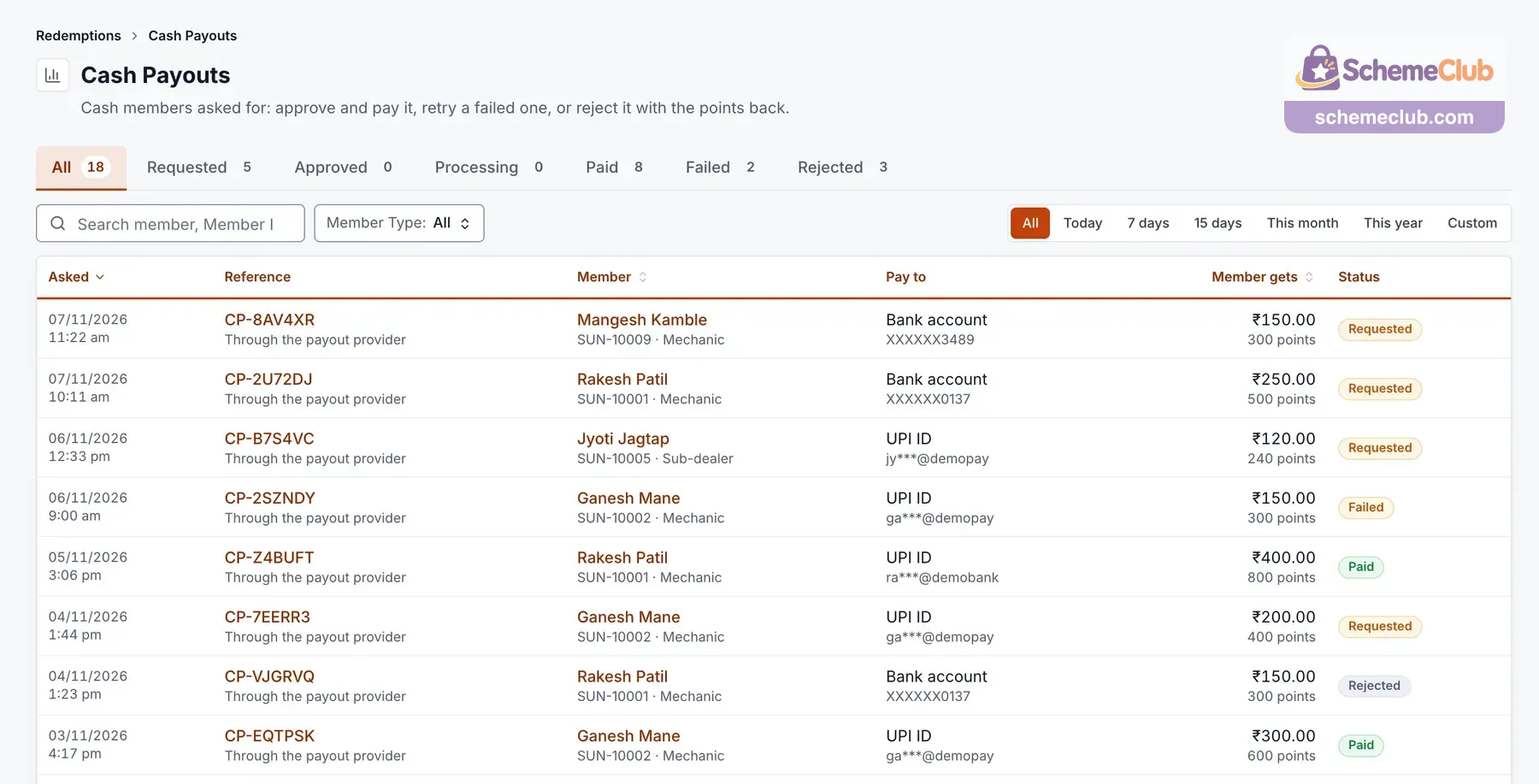
UPI payout list: asked, paid and failed
Cash that members asked for, with account numbers hidden.
How UPI payout for loyalty program members works
UPI Payouts is an extra feature that we switch on for your program. You set the value of one point and the smallest payout, from ₹10 to ₹10,000. It starts at ₹100. A member can then ask for cash for their points. The money can go to a UPI ID or a bank account.
Members add a UPI ID or bank account
On their member page, a member adds one UPI ID, one bank account, or both. A 6-digit code comes to their mobile before it is saved. The UPI ID or account is checked, and the holder's name is shown. If it is not found, it is not saved. Numbers are hidden on screens, except where the payment itself needs them.
Members turn points into cash
The member types the points and picks where the money should go. Before sending, they see the value, any TDS and what they will get. When they send, the points are taken at once. KYC is not needed for this, but the member must be active and the UPI ID or account must be checked.
Approve and pay by provider or bank file
All requests come to one list. You choose one way of paying:
- Payout provider: when you approve a request, it is sent at once from your payout balance. It comes back as paid, with its bank reference, or failed.
- Bank file: download one CSV or Excel file with all approved requests and pay them from your bank. Then mark each one paid, with its bank reference, or failed.
The bank file holds full account numbers, because it is the payment. Keep it safe.
When a UPI payout fails
You can try a failed payout again. It goes to the same UPI ID or account if that is still checked, or to the member's current checked one. You can also reject a request before it is paid, but not while it is in a bank file. When you reject, you give a reason. The points go back to the member. If the request was for cash from QR scans, the cash goes back to their cash balance.
The member is told when a request is paid, fails or is rejected, and can see each one on their phone. With QR Cashback, another extra feature, cash from scans can also be paid out here.
TDS on cash payouts
When TDS is on and due, it is taken from the payout, so the member gets the amount after TDS. SchemeClub keeps a TDS record by PAN. Please ask your CA which rules apply to you. See TDS.
Features that work with UPI Payouts
For each step with the screen, read the help guide: Cash Payouts.
SchemeClub works for every trade. See all businesses.
Frequently asked questions
UPI payout for loyalty programs: your questions
About paying cash.
It is paying a member money for their points to their UPI ID. In SchemeClub the member can also choose a bank account.
A request for cash waits for your team. Only cash from a QR batch set to pay at once goes without an approval step.
No. You can pay by bank file from your own bank, and then mark each request paid or failed.
They go back to the member. For a request from the cash balance, the cash goes back there. A paid request cannot be rejected.
No. It is for members that your team has approved, such as your shops and workers.
See a payout from start to end
In a free demo, a member asks for cash and we approve it from the work screen.
From the blog


